
Smile.io Review (2026): Pricing, Integrations, Support & More
/filters:quality(80)/keepshoppers/Ali_Shah-1676217522255.jpg)
/filters:quality(80)/keepshoppers/Ali_Shah-1676217522255.jpg)
/filters:quality(80)/keepshoppers/Michelle_Meyer_Photo-1662913756061.jpg)
/filters:quality(80)/keepshoppers/Michelle_Meyer_Photo-1662913756061.jpg)
Updated November 17, 2023
Our team tests eCommerce apps and publishes reviews that are unbiased and not influenced by payments we receive from some of the app developers.
/filters:quality(80)/keepshoppers/Smileio_Shopify_app_cover_image-1677680559910.webp)
E-commerce is a competitive market and an effective tactic to increase your average order value and overall sales is loyalty and rewards programs. These offer different benefits to your customers and incentivize them to stay loyal to your brand. Consider that 71% of customers consider their membership to a loyalty program as integral to their relationship with a brand, meaning your customer retention can jump by 5% and overall sales can increase by 25%.
There is a wide array of apps available to make managing loyalty and rewards programs convenient. Smile.io is a highly-rated Shopify app that aims to help you make first-time customers forever customers by letting you build your own loyalty and rewards programs.
Let's take a closer look.
/filters:quality(80)/keepshoppers/Smileio_Shopify_app_cover_image-1677680559910.webp "Smile.io_Shopify app_cover image")
Pros
- Highly customized
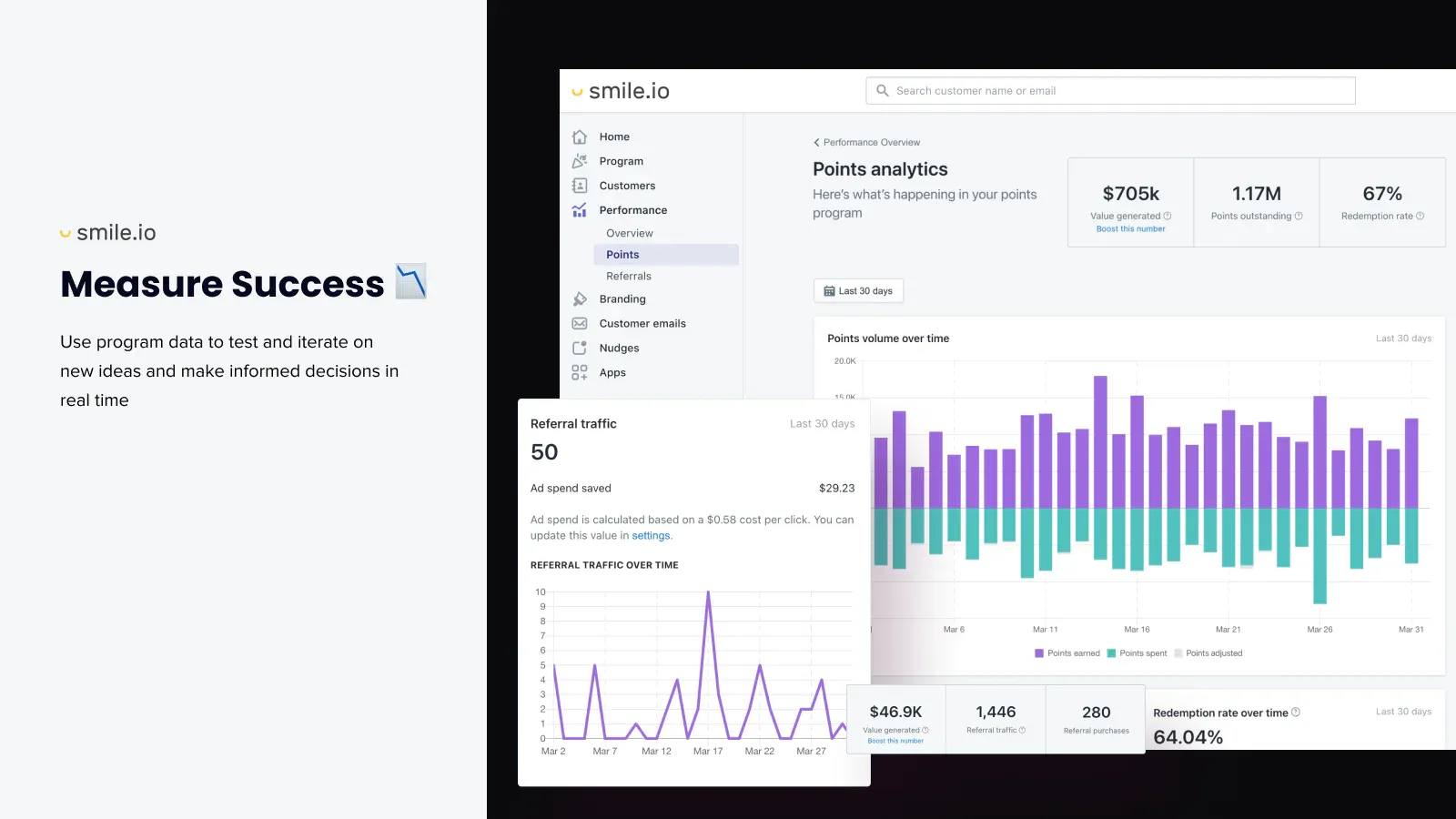
- Provides detailed analytics
- User-friendly
- Offers multiple reward options
Cons
- Can be complex for beginners
- Limitations on free plan
- Requires ongoing maintenance and updates
What Is Smile.io?
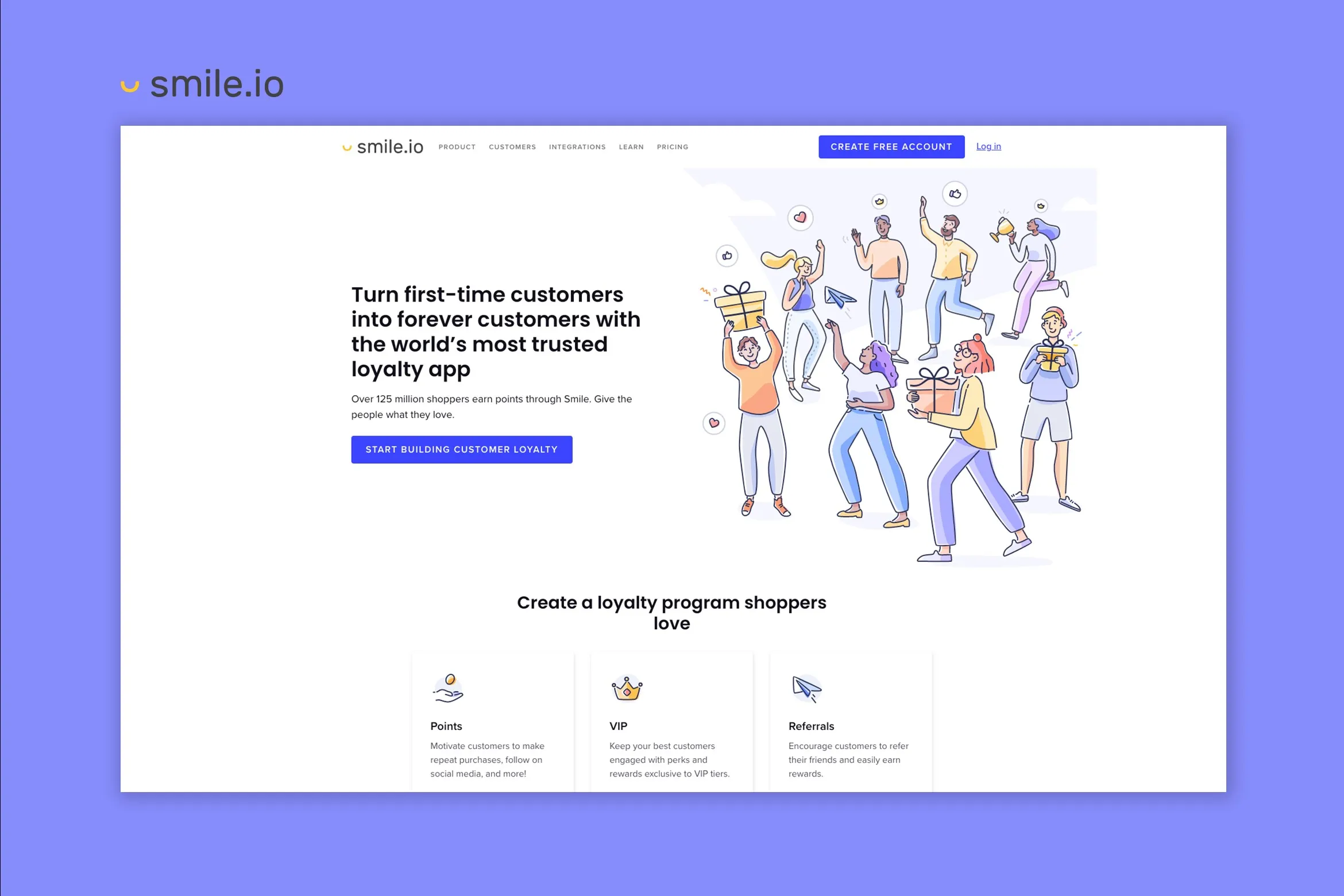
Smile.io is a customer loyalty platform that helps businesses create and manage loyalty and rewards programs effectively for their customers. Businesses can customize rewards and points to encourage repeat purchases, set VIP tiers for exclusive benefits, and introduce referral programs.
/filters:quality(80)/keepshoppers/Smile_Loyalty_-1680693244005.png)
Best For
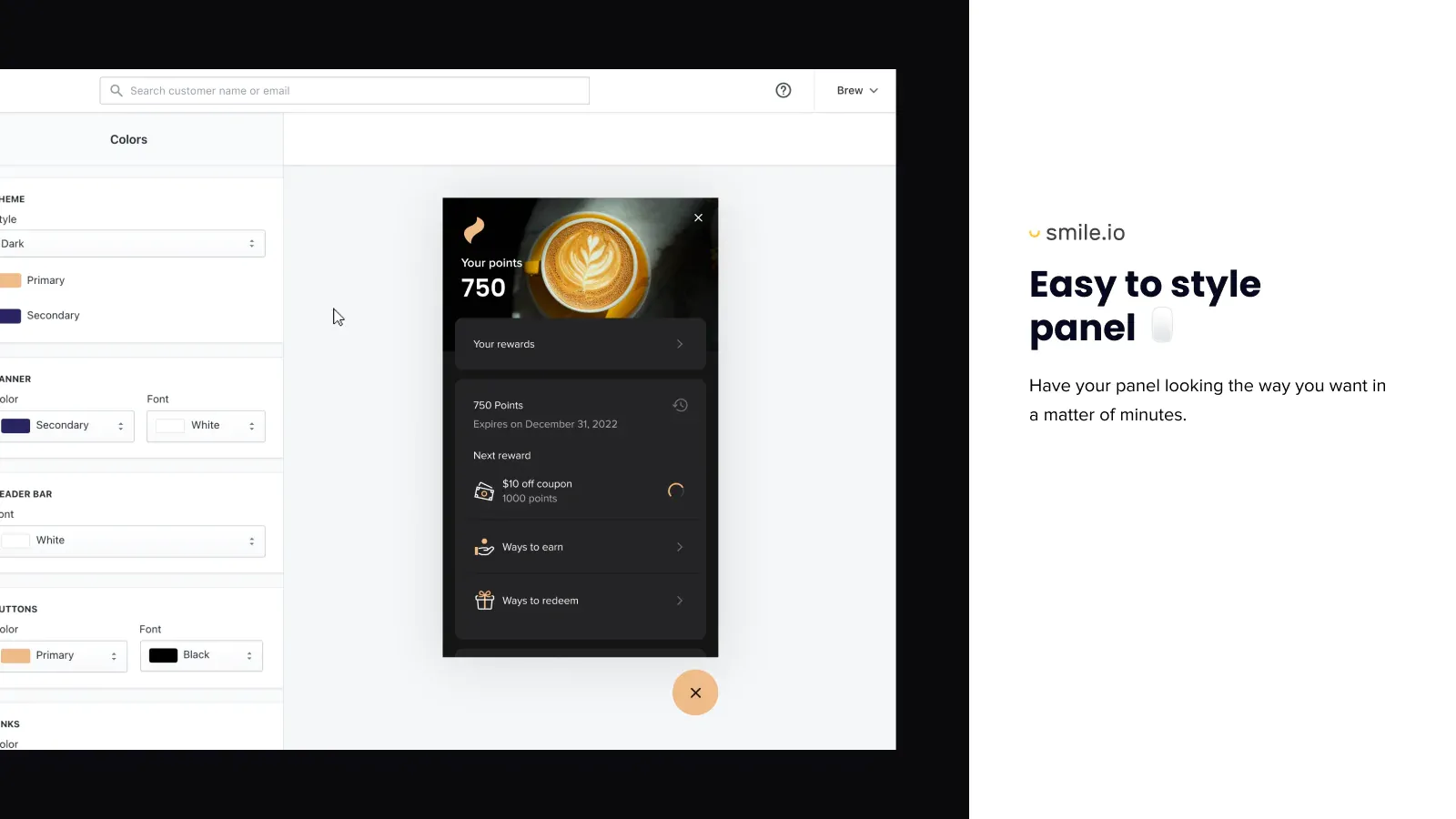
Smile.io works best for small to mid-sized businesses, especially if you use Shopify as your e-commerce platform. The app is easy to use and requires no coding skills—you can do everything from the dashboard, saving smaller businesses developer costs. Smile.io's functionalities are also fully customizable, so it's easier for small and mid-sized businesses to establish their brand identities.
Overview of Features
Loyalty Points Program
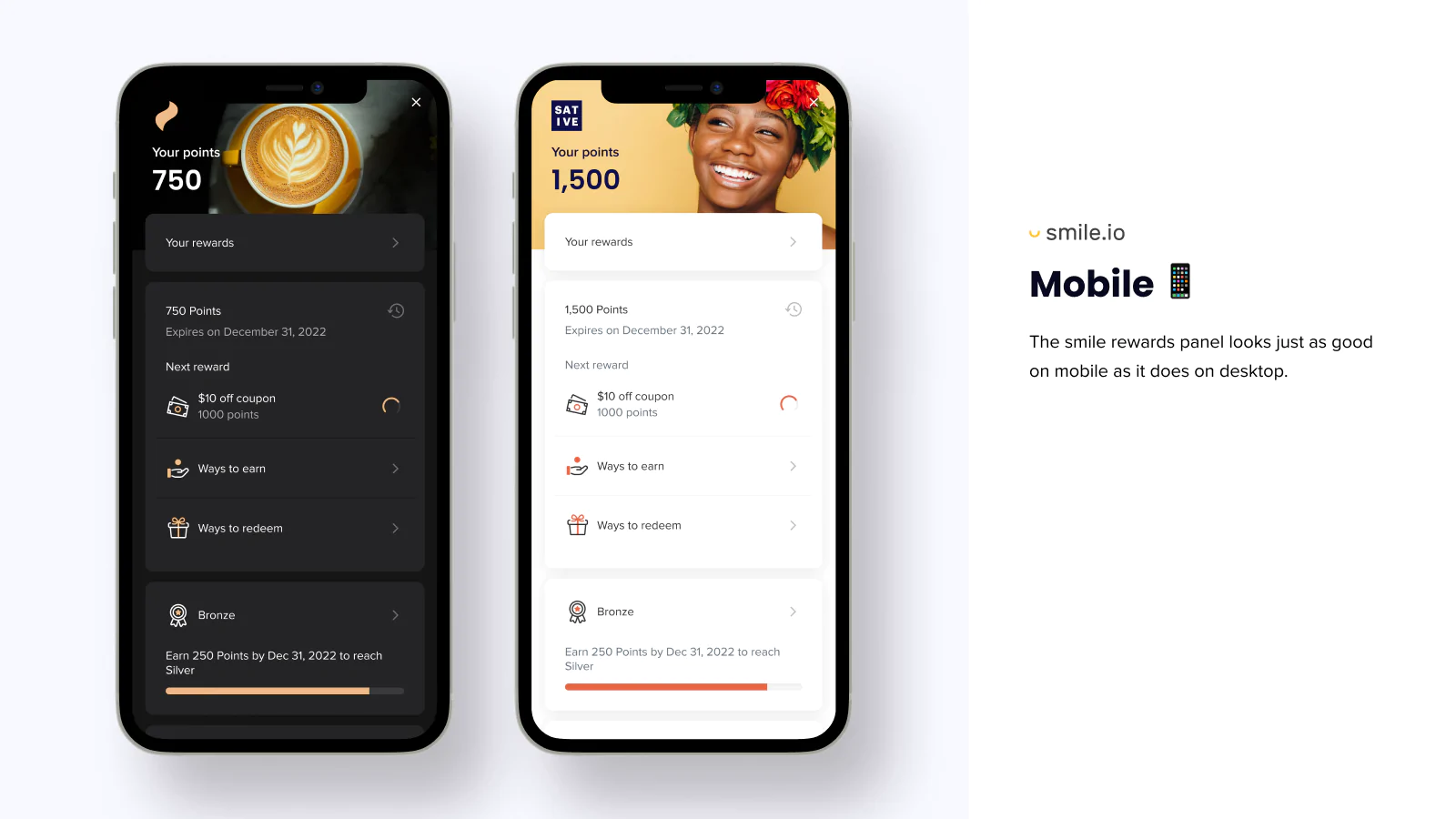
You can offer your customers loyalty points for various actions, such as joining the program in the first place, making a purchase, referring a friend, or engaging with your business on social media. Your customers can then redeem these points for rewards that include discounts, free products, or free shipping.
An additional feature we really like is the Smile Wallet. Instead of endlessly searching through their emails, your customers can view their available points in the wallet. It also updates automatically, so you and your customers don't have to keep track of points earned and spent manually.
Referral Program
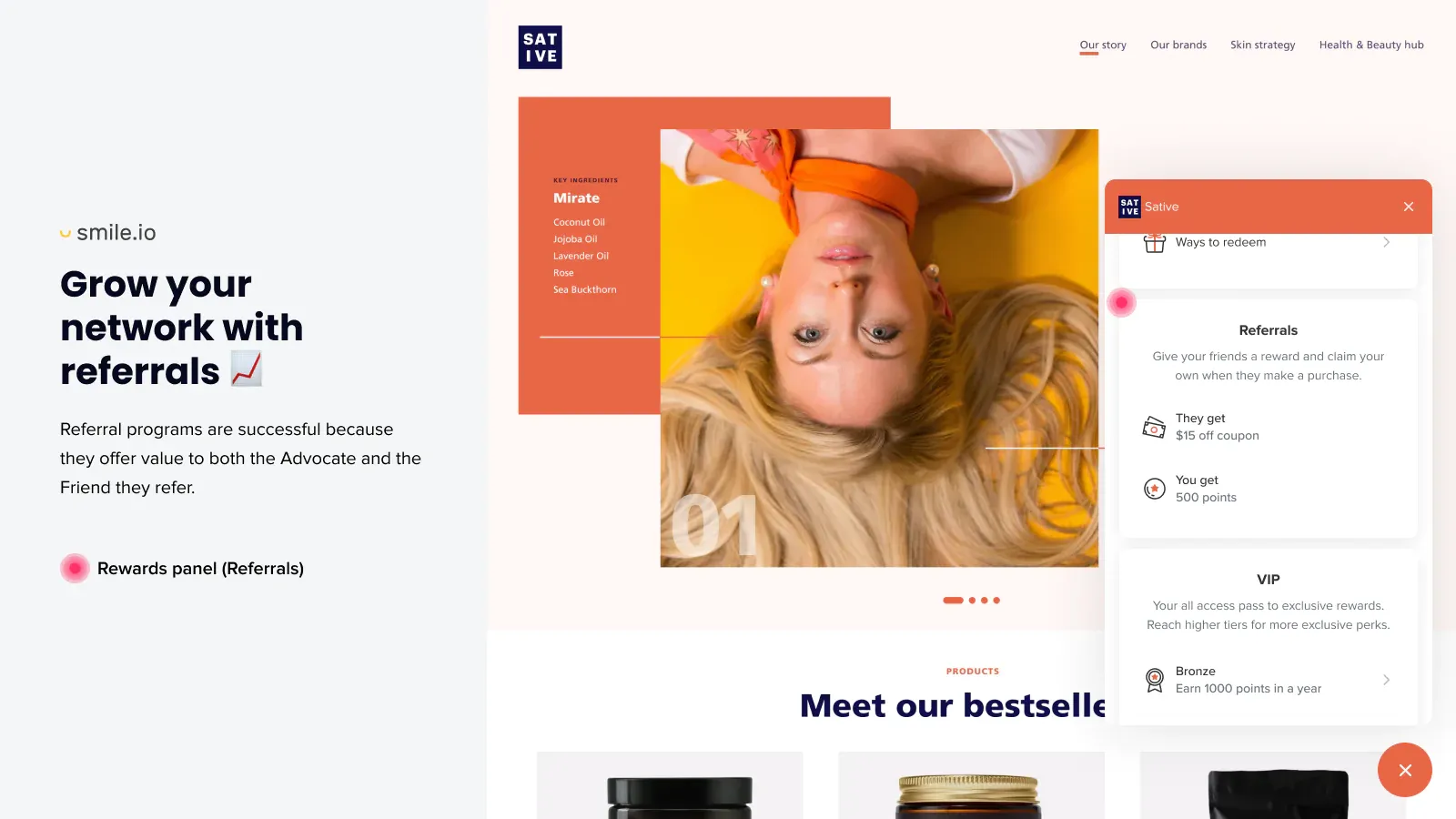
The referral program can help you incentive your customers to recommend your program to their friends and family. We like that this feature has a triple pay-off: your customer, their successful referral, and your business are rewarded. Just like the loyalty program, your customers can use their points to get rewards like discounts, free products, or free shipping.
Additionally, because Smile.io can integrate with different email programs, you can easily keep your new and current customers up to date.
VIP Program
Make your customers feel like stars with Smile.io's VIP program by offering exclusive rewards and benefits. You can create tiers within the program and encourage your customers to keep on climbing the ranks with automatic rewards each time they reach a new tier, including free products, discounts, or the option to earn points faster.
As an added push, you can set milestones for your customers, including time limits, to create a sense of urgency and inspire action.
Plans & Pricing
Smile.io offers four different plans to Shopify sellers so you can choose which one will suit your needs and budget best, including a free plan.
/filters:quality(80)/keepshoppers/Smileio_pricing_plan_Shopify-1677680220010.jpg "Smile.io pricing plan_Shopify")
The free plan offers basic functionalities, including basic branding options and a limit of 200 monthly orders. The Starter Plan already gives you access to advanced branding and unlimited orders, but still restricts you to one integration. The Growth Plan introduces pop-up and point expiration features, but access to features like the VIP program and unlimited integrations only comes with the Pro Plan.
Integrations
Smile.io offers integrations over a wide range of platforms to give your business a stable position such as:
- Email & SMS marketing: Klaviyo, Mailchimp, HubSpot, SMS Bump.
- Customer reviews: Reviews.io, Judge.me, Stamped.
- Customer service: Gorgias.
- Forms: Privy.
- Business intelligence: Glew.io.
Usability
Smile.io has a user-friendly interface that allows you to easily manage your loyalty programs and track customer engagement. Along with a fast setup time, the app also offers customization options that help you tailor your programs according to your specific needs.
And because Smile.io offers seamless integrations with popular e-commerce platforms like Shopify, Mailchimp, and Klaviyo, it makes it easy to incorporate your programs into existing marketing and sales strategies.
Support
Smile.io's robust support system has a 24/7 available support team. You can also refer to other resources, including e-books, industry guides, and research papers. Additionally, Smile.io regularly publishes and updates blogs and holds Q&A sessions to discuss new trends and new platform functionalities. Plus, a demo video is always available to help beginners. These resources mean you feel confident and that Smile.io has your back.
Give Your Customers a Reason to Smile
In a nutshell, Smile.io simplifies the process of creating and managing a loyalty program by offering features such as point programs, referral programs, and VIP programs, all in one platform. The key benefits you can get from loyalty and rewards program include improved customer engagement, higher average order value, and increased customer lifetime value. Due to its user-friendly dashboard and helpful resources, it is no wonder more than 100,000 businesses rely on Smile.io to keep their customers happy and engaged with a comprehensive loyalty program solution.
Smile.io Review (2026): Pricing, Integrations, Support & More
/filters:quality(80)/keepshoppers/Smile_Loyalty_-1680693244005.png)
Recommended Reviews
/filters:quality(80)/client/images/common/product_logo_placeholder.png)
Seguno Email Marketing - Pricing, Integrations, Features & Alternatives
Seguno is the only email marketing app created exclusively for Shopify. This app was built to save Shopify store owners the time that their email marketing endeavors take by making the process seamless and automated. ProsThe app is available on the official Shopify app store for quick integration.You can see revenue data from all your email campaigns.The app allows you to segment and target customers.Seguno allows you to recommend products based on items customers have viewed before.The app's features are placed in your Shopify dashboard after installation, letting you work from a single module.ConsPoor customer support.The app was created for small businesses in mind and lacks the required features for bigger businesses with larger email lists. Best for This app is best for new Shopify stores with small email lists looking to automate their email marketing processes to free up time for other activities. Pricing Seguno offers a pricing model based on subscriber count. This means that the more subscribers on your online business’ email list, the more you have to pay for the service. According to Seguno, a subscriber is defined as any of your Shopify customers that have agreed to receive marketing emails and newsletters from any of your business’ email marketing campaigns. Here's how Seguno pricing works after a 10-day free trial with their full range of features included: 0-250 subscribers: free.251-1000 subscribers: $10/month.For every 1000+ subscribers above the first 1000: An additional $10/month. Integrations MailChimpCanvaFacebook LeadsDynamic Banner SuiteAll email pop-up apps Features Facebook Integration You can integrate Facebook leads in real-time.Triggers The app allows you to trigger an automation when a customer buys any particular product (that you decide on).Email Automation You get custom email newsletter templates as well as multi-email automation.Automation of Product Review Request Emails Seguno helps automate your product review process by helping you send review request emails and pull product ratings to your emails if you use Shopify Product Reviews.Creation and Coordination of Email Marketing Campaigns Within Shopify Alongside templates and various automation features, Seguno also makes rolling out email marketing campaigns within Shopify super easy. With just a few clicks and the help of an integrated email marketing calendar, Shopify merchants can create high-converting emails that target specific customers based upon their previous shopping habits within your Shopify store.Seamless Working with Shopify Marketing You can create emails with the app for a multi-channel campaign within Shopify's marketing section.Segmented Automation Using this app, you can create customer-tagged automation for VIPs, wholesale customers, etc.Implement Dynamic Recommendations With this feature, Seguno auto-generates and integrates your all-time best-selling products into your email marketing campaigns.Revenue Reporting Integrated within Seguno is an auto-generated revenue reporting feature. This concisely generates revenue reports so you can quickly and easily see how impactful your email marketing campaigns really are. Usability Since Seguno is made exclusively for Shopify, users will have a seamless experience. Being able to access features from your Shopify dashboard will not only make it easy to use but easy to manage as well. Support Seguno only offers email support. There are currently no options for live chat or direct calls. Users also complained about slow response times and extended waiting periods from the support team in response to email queries. Seguno Alternatives If you are not sure if Seguno is the right fit for your online business, know that there are several alternatives to the Seguno email marketing app. They include: PrivyOmnisendKlaviyo FAQ Is the Seguno Email Marketing App Free? Yes, the Seguno app is free for the first 250 subscribers that sign up for your email marketing campaigns. Beyond that, Seguno's pricing is charged at $10 per month for between 251-1000 subscribers. And for every additional 1000 subscribers beyond that, another $10 per month is charged. For instance, 2000 subscribers will cost $20, 3000 subscribers $30, and so on. The Bottom Line Seguno is an excellent app for small Shopify businesses looking to automate their email marketing processes. The app also integrates perfectly well with Shopify, making it easy and efficient to manage and use.
BeProfit App Review: Features, Pros & Cons, and More
The BeProfit app is an all-in-one profit analytics dashboard, helping ecommerce merchants keep track of their business finances and leverage data to optimize their profit and growth. BeProfit features custom reports, marketing performance insights, cohort analysis and more. ProsAvailable on Shopify and other top eCommerce platformsMake data-driven decisions with actionable insightsSeamlessly auto-syncs with Facebook, Pinterest, TikTok, Snapchat, Google, and even AliExpressPresents your most\least profitable itemsProvides a UTM attribution toolConsDashboard can seem challenging to beginners What is BeProfit? BeProfit is an all-in-one profit and expense management app designed specifically for e-commerce businesses. It integrates with popular e-commerce platforms such as Shopify, Amazon, eBay, and Etsy, allowing users to track their sales and expenses in real-time. The app provides a wide range of features, including profit and loss statements, expense tracking, inventory management, and sales analytics. It also offers users the ability to create custom reports and set goals for their business. With BeProfit, e-commerce business owners can gain valuable insights into their finances and make data-driven decisions to help grow their business. Who BeProfit Is Best For Whether you own a dropshipping store, a print on demand service, or any other type of eCommerce business, BeProfit is the #1 app to track your business profits and expenses. It allows online sellers to actually understand their data, make better decisions and optimize their profitability. BeProfit Pricing Free Plan All basic plan features included, coupled with up to 30 monthly store orders. Basic Plan $25/month when billed monthly $20/month when billed yearly Pro Plan $50/month when billed monthly $40/month when billed yearly Ultimate Plan $100/month when billed monthly $80/month when billed yearly Features of BeProfit Data-Driven Reports The BeProfit app allows users to generate a wide range of reports, including: Product reports Quickly analyze key metrics like revenue, profit, COGS, and sales for all your products and services. Order reports Leverage custom order and sales reports, track orders, break down expenses, and much more. Marketing reports Effortlessly gain insight into CPC, conversion rate, and ROAS marketing costs with a simple click of a button. Custom reports For those metrics that require a more tailored approach, simply set up a custom report and start tracking taxes, accounting metrics, profit reports, and much more. UTM Attribution BeProfit’s UTM attribution wizard gives you the power to stay on top of your marketing campaigns by drilling all the way down to your ad sets and ads performance. Ad Spend Platforms BeProfit easily integrates with top advertising platforms like Facebook, Instagram, Google, Pinterest, Bing, TikTok and more, all to provide you with accurate marketing data and insights that actually translate into more profits BeProfit Ease of Use The BeProfit app is extremely easy to use, even for those who are new to it. The fresh design and the intuitively laid out user interface make it easier for users to navigate through and produce snapshots of a store’s profits, sales, and orders - all in one location. Setting it aside from many of its competitors, BeProfit also has both MT4 and MT5 connection capabilities, granting users even more functionalities and features they are unlikely to find anywhere else. Is BeProfit Worth It? BeProfit isn't simply a one-time product, it's a comprehensive profit calculator and analytics system. Again and again, the app has proven to be a fool-proof method for building a successful online store. Thanks to the app’s innovative design and wide range of features and functionalities, users can start streamlining their e-commerce business’s most tedious tasks. That way, you can continue to focus on building your business while leaving all the heavy lifting to BeProfit.
Core Web Vitals Booster By Speedien—Improved SEO and Page Speed for Shopify Stores
There are many different aspects that contribute to a website's overall SEO quality. Improving your Google discoverability takes more than just high-performing keywords placed strategically—you have to consider your site's page speed too. Websites and pages that have slow load times will be flagged by the Google Search Console, lowering your authority and making it less likely that potential customers will discover your store. Thankfully, you can improve your site's load speed without having detailed knowledge and experience in coding. If you'd like to start taking steps to improve your site's load speed, look no further than Core Web Vitals Booster, a Shopify app developed by Speedien. ProsNo coding experience requiredIntelligent Javascript loading24/7 supportLots of popular app integrationsWorks for desktop and mobile devicesConsCan take time to see resultsSome users may have compatibility issues What Is Core Web Vitals Booster Best For? Most Shopify sellers improve their loading speeds by optimizing the size of their images—or other similar tactics—without realizing the negative impact of having multiple different Shopify apps interfering with your store's code and slowing the process down. Although Speedien's app optimizes your images and backend code, Core Web Vitals Booster excels in deferring third-party scripts and apps from activating until they're required, letting Google load the important stuff first. It works with all the most commonly used apps and even provides daily speed reports to allow you complete monitoring control. The cloud-based caching also helps you to quickly implement your frontend code. » Learn the basics of optimizing a slow-loading Shopify store Overview of Features Core Web Vitals Booster is loaded with features to help improve page loading speeds. These include but are not limited to; Cloud-based caching: Frontend code is delivered using cloud-based cache for improved time to first byte (TTFB).Global CDN compatibility: Global CDN, HTTP/2 Compatibility, including GZIP and Brotil compression. This can help enhance an online store's scalability and increase global reach by handling high levels of traffic during peak times.HTML & CSS optimization: Advanced HTML optimization, critical path CSS generation, script optimization for increased SEO ranking, and improved site performance, especially on mobile devices.Image optimization: Responsive image sizing, lazy loading, and automatic WebP conversion.JS optimization: Progressive loading of third-party scripts to minimize impact on page speed.Daily speed reports: Daily report of core web vitals including alerts if the vitals change drastically. Plans & Pricing Speedien's app only offers one pricing plan at $9/month but allows a 7-day free trial to try out the service before committing to anything. This ensures you get all the features and 24/7 customer support you need without spending a fortune on premium pricing plans. Other useful features included in the plan are: Automatic theme optimizationUnlimited image optimizationUnlimited pageviewsCritical CSS generationCSS lazyloading Integrations The app integrates with a number of different platforms and plugins, and can help with Facebook pixel speed optimization, Klaviyo speed optimization, Google Analytics / Tag Manager speed optimization, and intelligent Javascript loading for Shopify apps. It can also help with live chat optimization provided your store has that functionality. Core Web Vitals Booster integrates with three of the best CMS providers i.e. WooCommerce, WordPress, and Shopify. Usability Core Web Vitals Booster is relatively straightforward to use. E-commerce merchants must simply enter their domain name and a preview domain will be generated so all the optimizations can be viewed before going live. Once you're happy with the changes, point your domain name to the CDN IP and the optimizations will take effect for increased page loading speed and improved site performance. Support Speedien offers 24/7 support for any queries that you may have while using the app. The quickest way to reach them is via e-mail [email protected] but there is also an FAQ section on their website which can help with common issues. A Vital Organ For Shopify Stores? Not only can poor page speed hurt your SEO rankings and discoverability, but it's also sure to annoy and chase away potential customers. And while optimizing your images or preloading pages can speed your site up, it won't help you get around the inevitable lag of accumulating necessary apps. Instead of spending time and effort trying to code your way out of a bogged-down store, let an efficient service like Core Web Vitals Booster by Speedien do the work for you. We found that most users will see an improvement in site performance almost immediately and while some users may experience slight compatibility issues, the 24/7 support team is there to help and resolve issues quickly and efficiently.