
HelloBrand Review—Shoppable Video Links for Shopify Merchants




Published June 2, 2023
Our team tests eCommerce apps and publishes reviews that are unbiased and not influenced by payments we receive from some of the app developers.
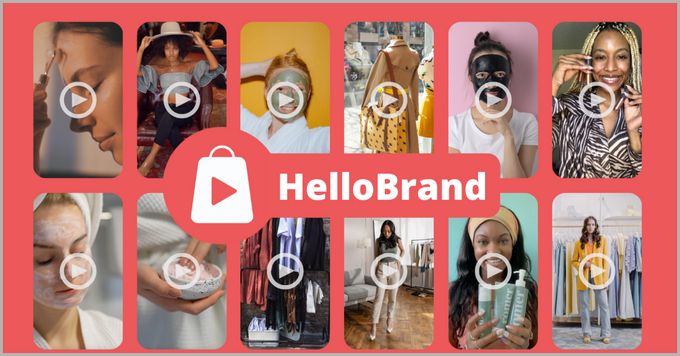
If you're looking for a new way to market your products, then you should consider the simple concept of shoppable videos. Users are far more likely to retain the information they see in a video than in a mess of text scrawled across your website—so why not throw in a purchasing link and let them buy directly from the video?
Keep reading to learn all the different ways that HelloBrand's shoppable video service can help your store.
What Does HelloBrand Offer Shopify Merchants?
More Effective Social Media Marketing
Have an Instagram business account but aren't seeing the conversion rate you'd like? Reuse your product videos from any social media platform and embed them on your store as shoppable video carousels or floating videos on your homepage or product pages.
Each video comes with a link that you can share on all your socials, emails, and SMSes to redirect users straight to the shoppable video, increasing your conversions.
UGC With More Impact
Every e-commerce merchant is familiar with the benefit of user-generated content in the form of product reviews and ratings. Now, with HelloBrand, you can turn your UGC product review videos into shoppable ones to improve the effectiveness of your social proofing apps.
Live Video Shopping
If you haven't started hosting live videos to promote your brand and engage with your community, then now is the time to start. And with HelloBrand's technology, you can add purchasing links to your live videos when discussing products, allowing you to remove any doubt and answer customer questions in real-time before they purchase.
On top of that, you can save and reuse live videos as conversion-boosting shoppable videos on your store.
HelloBrand Pricing
The cost of running HelloBrand on your e-commerce store works a little differently from most other Shopify apps. Instead of a few strict plans to choose from, the app is free to install and remains so up to 200 monthly views of your shoppable videos. After that, it's only $0.02/view for the rest of the month.
Additionally, if you're worried about your company growth costing you more in the long run, you don't need to worry. HelloBrand offers you the control to set a flat rate that you're willing to spend each month, whereupon the service will simply pause for the rest of the month once that limit has been reached. This ensures that you have the chance to test the app and only have to pay for what you get.
Our Verdict: Should You Use HelloBrand?
E-commerce store owners are always looking for new ways to improve their marketing and increase conversions, and shoppable videos are a simple and effective way to do so. And with the free-to-use capabilities that only require a small, custom payment after a certain number of views and the excellent customer support available 24/7, there's really no good reason not to try it out for yourself!
It's clear that, from the 5-star reviews on the Shopify app store, other e-commerce merchants feel the same. Head to their website to learn more or jump directly to their Shopify app store page to get started.
Recommended Reviews

Loox Review—Pricing, Integrations, and More!
Loox is a reviews app that allows e-commerce brands to gather user-generated photos and reviews from customers. The app can be used for any type of online store that permits customers to give their reviews. Customers can give plain star ratings via the app for a product they purchased, as well as take photos of themselves using it. Loox also makes it easy for Shopify brands to import their product reviews from other platforms on the web, like Amazon and AliExpress reviews. What Is Loox? Loox Product Reviews & Photos is a popular product review app for e-commerce businesses. It allows online store owners to easily collect and display customer reviews, including photos and videos, to build social proof and trust with potential customers. The app integrates with major e-commerce platforms such as Shopify, Magento, and BigCommerce, making it easy for businesses to manage their product reviews and boost their conversion rates. Loox also offers features such as review request emails, customizable review widgets, and analytics to help businesses gather valuable feedback and insights. Best for The Loox app is best for newbie and professional Shopify sellers alike who seek a seamless and automated way to gather user-generated reviews to build trust and credibility in their niche. Loox is best for e-commerce businesses that want to showcase user-generated content (UGC) in the form of photo reviews on their website, social media, and other marketing channels. It helps to increase social proof and build trust with potential customers, ultimately leading to higher conversions and sales. Additionally, Loox offers features like product review requests, discounts for photo reviews, and integrations with popular e-commerce platforms to make the process of collecting and displaying reviews seamless. ProsUnique feature that gives discounts to customers that review nicelyMany integrations that optimize your store as well as provide a seamless experienceProvides ample automationBoosts order value through the use of social proofConsLoox doesn't offer a free planYou need to purchase a professional plan to access all features Loox Pricing Plans Loox provides users with dynamic pricing options. This means that you won't have to pay additional fees if you only send a limited amount of review requests every month, and they offer a 14-day free trial that allows you to test the app before choosing a paid plan. Here's the app's pricing structure, billed monthly: Basic Plan: 100 monthly review requests for $9.99.Advanced Plan: 500 monthly review requests for $29.99.Pro Plan: 1500 monthly review requests for $59.99.Enterprise Plan: 10,000 monthly review requests for $99.99. If you need more review request emails in a month beyond what all plans available offer, Loox accommodates this. You only have to contact them and inform them of your monthly numbers, and they'll create a custom pricing plan for you. Integrations Loox's Shopify app provides numerous integrations. It integrates with a variety of popular e-commerce platforms, including Shopify, BigCommerce, WooCommerce, Wix, and more. Here are the major ones: Google ShoppingFacebookKlaviyoPushOwlSmile.io Features Beyond giving you a seamless way to generate customer reviews and receive feedback, Loox has more to offer. Loox's features are designed to help businesses build trust with their customers and increase sales by showcasing positive reviews and providing valuable feedback to improve their products and services. Here are the major features of Loox: One-click Installation: Hit Get on Loox's app store page, and you're all set. Review Importation: With a single click, you can import reviews inclusive of photos from AliExpress, Amazon, or other platforms. Highly Optimized for Shopify: Loox is optimized for use on any Shopify theme, as well as mobile, and it is extremely responsive.Automated Email Review Reminders: Every review request is sent automatically. So it offers a hands-off approach while the reviews pile up. Branded Emails: All emails have your store's logo, custom text and subject, and your brand's name. Fully Customizable: You can set the email widget color, placement, size, and timings. Moderation: Loox gives you control over which reviews show up on your website. Give Discounts to Reviewers: You can give customers custom discounts for including a product visual in their reviews. Inline SEO: Loox allows you to display reviews and ratings on search engines with rich snippet integrations. Social Media Sharing: You can share customer reviews on your social media pages via Loox. Happy Customers Page: You can display all your satisfied customers' feedback on one page.Rating-Widget: Simple widget that shows star ratings and reviews on your product pages.Cross-Sell/Upsell: You can integrate product suggestions in your review request emails. Supports Multiple Languages: Available in English, Turkish, French, Spanish, Portuguese, Italian, German, and Dutch. Usability Loox is easy to use—most steps, like importing reviews from other platforms or installation, require one click. It has a well-designed interface that is intuitive and straightforward, making it easy for users to navigate and find the features they need. The app seamlessly integrates with your Shopify store, making it simple to install and set up. Once installed, Loox automatically sends review request emails to customers, and the reviews can be displayed on your website in just a few clicks. Support Loox offers customer support through email, live chat, and phone. Their support team is available 24/7 to assist with any questions or issues that users may encounter. They also provide a comprehensive knowledge base with articles, tutorials, and guides to help users navigate and make the most of the app's features. Additionally, Loox offers onboarding support for new users to ensure a smooth and efficient setup process. Users can contact support via the Loox admin by clicking the Email us icon or by sending an email to [email protected]. Replies are usually within 24 hours. Loox: the Most Powerful Form of Social Proof Loox is a highly reputable and trustworthy app that has been widely adopted by e-commerce businesses of all sizes. Whether you're a seasoned pro or just starting out, Loox makes it easy to collect and showcase customer reviews that can help boost your credibility and build trust with your target audience.
PushOwl Review (2026): Pricing, Features, Integrations, & More!
Email and SMS alerts have become common marketing tools—but they have limitations. According to a benchmark report by MailChimp, e-commerce businesses have an average email open rate of only 15.68% and an average click-through rate of just 2.69%. In response to these issues, PushOwl provides a web push notification platform to help online stores engage more effectively and directly with their customers. Push notifications are clickable messages sent directly to users' devices, and PushOwl's platform enables merchants to send personalized and timely notifications based on customer behavior and preferences. This is an excellent strategy to reduce abandoned carts and boost conversions. Our PushOwl review provides an in-depth analysis of the platform's pricing, features, integrations, and more to help you decide if it's the right tool for your marketing efforts. » If you're after conversions, check out our list of top conversion rate optimization apps ProsSimple & clean dashboardTimely customer supportVisually appealing web push notificationsSupported across multiple devices & browsersIntegrates with 18 Shopify appsRobust analytics & reporting toolsConsSegmentation options are somewhat limitedReporting tools could be more customizable Best For Traders operating in highly competitive markets with a large audience will benefit most from this app. PushOwl's web push notifications provide a faster, more engaging way to communicate with customers. This is especially effective in crowded or fast-moving markets. Having said this, PushOwl's segmentation and personalization tools tailor messages and offers to specific customer segments, making the app an excellent choice for e-commerce stores of all types and sizes looking to improve sales. » Head to our best apps to boost sales list for more tools to ramp up your revenue Overview of Features Web Push Notifications PushOwl provides different types of web push notifications, including abandoned cart reminders to help you recoup lost sales by reminding your customers that they still have items in their carts. The app also provides browser abandonment notifications to help you retarget customers who have left your site without making a purchase. In addition, merchants can use flash sale notifications to promote limited-time sales and offers. There are also notifications to welcome new customers and offer discounts or incentives for their first purchase. PushOwl's triggered notifications feature allows businesses to send alerts based on specific events, like when the item is restocked or the price drops. Another advantage of using PushOwl is that notifications can be sent in multiple languages, allowing businesses to reach out to their customers in their preferred language. In addition, web push notifications do not require customers to provide an email address or download a mobile app, making communication with customers more convenient and faster. Analytics & Reporting PushOwl offers a variety of analytical tools that businesses can use to measure the performance of their campaigns. These include tracking subscribers, clicks, revenue generated, and cart recovery performance. Stores can also use PushOwl's segmentation tools to analyze campaign performance across different customer segments by location or device type. What's more, the app's email campaign reports provide an overview of campaign performance over time. These reports are valuable to businesses looking to optimize campaigns and improve targeting and segmentation by determining which campaigns are driving the most revenue or engagement. Customizable Designs The app provides visually appealing widgets that you can add to your business's website to allow customers to subscribe to push notifications. You can customize your notifications with emojis, product images, and other visual elements to make them more engaging and eye-catching and match your store's design and branding with customizable colors, logos, and other design elements. Plans & Pricing PushOwl offers a 14-day free trial so that you can try out their web push notification platform—no strings attached. Additionally, PushOwl offers a generous 60-day money-back guarantee, giving you peace of mind that you can receive a full refund if you're not satisfied with the app's performance. These are the three plans you can choose from: Basic PushOwl's Basic Plan is designed for small businesses and includes many key features to help you get started with web push notifications. This plan includes 500 monthly impressions, the ability to schedule notifications in advance, and basic analytics and reporting tools to measure campaign performance. The Basic Plan is free, so you can try it before upgrading to another one. Business Designed for growing businesses, PushOwl's Business Plan includes everything in the Basic Plan, plus advanced analytics and reporting tools like revenue tracking, conversion tracking, and audience insights. Additionally, the Business Plan offers abandoned cart reminders, shipping notifications, and subscriber details and migration. This package is $19/month for 10,000 impressions or $38/month for 20,000 impressions, so how much you pay for the app is in line with your needs. It's a great option for businesses looking to invest in more advanced web push notification campaigns to drive growth and revenue. Enterprise PushOwl's Enterprise Plan is the best choice for large enterprises with advanced needs for web push notification campaigns. This plan includes all the features of the Business Plan, plus additional customization options, Smart Delivery, browser abandonment, phone support, and a dedicated integration engineer for personalized support and guidance. Enterprise Plan pricing is available on request, customized to each company's unique needs and requirements. Integrations Third-party integrations bring great value to your online business by allowing you to connect your e-commerce platform to external software and services. These integrations help automate and streamline various tasks, such as product review request notifications, sending wishlist reminders, and sending loyalty messages to your customers. By leveraging third-party integrations, stores can improve customer experience, increase customer retention, and ultimately increase sales. The app integrates with 18 Shopify apps, including: Stamped.io: A review and rating management toolLoox: A photo-review app to build social proofJudge.me: Another review app with added SEO benefitsPageFly: A drag-and-drop page builder to create custom pagesFlits: A loyalty program app to retain customers through specialized offersNow Back In Stock: A notification app for customers to receive back-in-stock alertsAVADA: A suite of e-commerce marketing tools, including email marketing, SMS marketing, pop-ups, and more Usability PushOwl receives our stamp of approval when it comes to usability. The setup process is quick and easy, with simple steps that guide users through the notification setup and configuration process. The interface is well-designed and easy to navigate, with all the features and options you need at your fingertips. Dashboards clearly display notifications, subscribers, and performance metrics so companies can easily track progress and make informed decisions. The platform is also highly intuitive, with well-thought-out, user-friendly features for businesses of all sizes and technical capabilities. Support What also makes the app setup and implementation user-friendly is the excellent support offered by the PushOwl team. Chat support: PushOwl offers live chat support to help users quickly resolve any issues or answer questions they may have.Email support: Users can also contact PushOwl support via email for any technical or account-related queries.PushOwl Help Center: The Help Center provides users with extensive documentation and resources to help them get started with the platform and troubleshoot any issues they may encounter.Blog: The PushOwl Blog offers regular updates and insights on web push notifications, e-commerce marketing, and industry trends, providing businesses with valuable information and strategies to improve their marketing efforts.Resources: PushOwl offers a range of resources, including webinars, whitepapers, and guides, to help businesses learn more about web push notifications.YouTube Channel: Their channel includes several video tutorials on each of the app's features and dashboards.Case Studies: PushOwl features case studies from real businesses that have successfully used the platform to improve their marketing campaigns, providing valuable insights and inspiration for other stores looking to do the same. Discover how Natural Pet increased their ROI with PushOwl Push Your Marketing to the Next Level Push notifications are a highly effective marketing channel. By sending targeted and personalized messages to subscribers, stores can increase brand exposure and boost traffic to their websites. Push notifications can also help businesses engage with their audience in real time to promote products, sales, and special offers, leading to increased AOV and sales. PushOwl automates and streamlines this type of marketing strategy, making it easy for merchants to set up and send push notifications, track performance metrics, and optimize campaigns for better results. The app allows businesses to create targeted and personalized notifications to increase engagement with subscribers and improve their chances of increasing sales. » Want to take your marketing a step further? Check out these leading Shopify marketing tools
Simple Sample Data—Test Data Solution for Shopify Dev Stores
Generating sample data for your Shopify store is essential to ensure everything is running smoothly before launch. Without an extensive list of test data, your visitors could have a less-than-ideal experience. The more data you have to analyze the better, but generating large quantities of test data can be a long and tedious task when done manually. Even with Shopify's development store, you're limited to only using free or partnered apps, and you'll need to manually add each item and collection. Simple Sample Data is an app by Egnition that makes generating sample data as easy as a single click. The app can be used on both development stores and paid stores, where it will generate products with images, orders, customers, and smart and custom collections. ProsFree and paid versions availableSingle-click data generationCompatible with dev and paid storesOutstanding customer supportConsFree version only available for dev stores Who is Simple Sample Data Best for? Whether you're a website designer working on a new theme or store and need dummy data to run tests, or an app/theme developer who is tired of constantly manually importing CSV files into each new project, Simple Sample Data can help you: Add custom products and collectionsGenerate dummy ordersTest run your theme/app for issues before launchDelete test data with a single click Pricing Simple Sample Data has only two pricing options: a free version and a single, paid version. Both plans include all the features of the app and are only limited by where you can use them. Free PlanPrice: FreeFeatures: Access to allStore type: Only dev storesPaid PlanPrice: $0.99 (once-off)Features: Access to allStore type: Dev and paid stores Features Simple Sample Data was created to save developers and online store owners time by quickly and automatically generating test data for products, collections, and orders, thus saving time and effort. 3 Data Themes Three data themes that include images and full details are available to use which make development stores look and feel real. Clothing and brand products: Supports products with multiple variantsPaintings: Supports single product variantsToys and novelties: Supports single variant products. Streamlined Data Generation With a single click, Simple Sample Data will populate your store with test products, collections, and customers without the need to import CSV files manually. Once you're happy with your test, the data can be removed with another single click. Custom Options The app gives you full customization of the data that you wish to produce. You can choose to populate all the data, or simply generate customers, products and collections, or add orders. Furthermore, you can change the theme and customize your collections. Ease of Use Simple Sample Data is one of the easiest ways to generate test data for your online store. Because you don't need to upload CSV files, you will save valuable time. With a single click to generate or delete data, you don't need to be a developing expert to get the most out of this app. Although the app is relatively new, which limits the available reviews, Simple Sample Data still holds a 5-star rating on the Shopify app store. Customer Support Egnition is well known for their outstanding customer support, and have been praised time and time again. The Egnition team offers a 24/7 hour support channel, 365 days a year. To reach them you can simply make use of the dedicated support icon on each of their apps, or email them at [email protected]. Egnition apps are constantly updated as the team takes note of customer responses and takes measures to improve quality, usability, and customer satisfaction. Bottom Line: Is Simple Sample Data Worth It? If you're an app or store developer, or simply test running a new theme or online store, manually adding sample data can burn through your valuable time. Simple Sample Data takes all this work and turns it into a single click, thus providing you with extensive sample data, with little to no effort. Available both on the Shopify development store and paid stores, this app is a no-brainer.